Insight 02 Web Portal
IT Service Portal
I built this portal on my own initiative for the service team at the Directorate of Core Systems of the Public Prosecutor’s Office of Minas Gerais — to cut down the tools, pages and scattered information a technician juggled during every call.
Context and Initiative
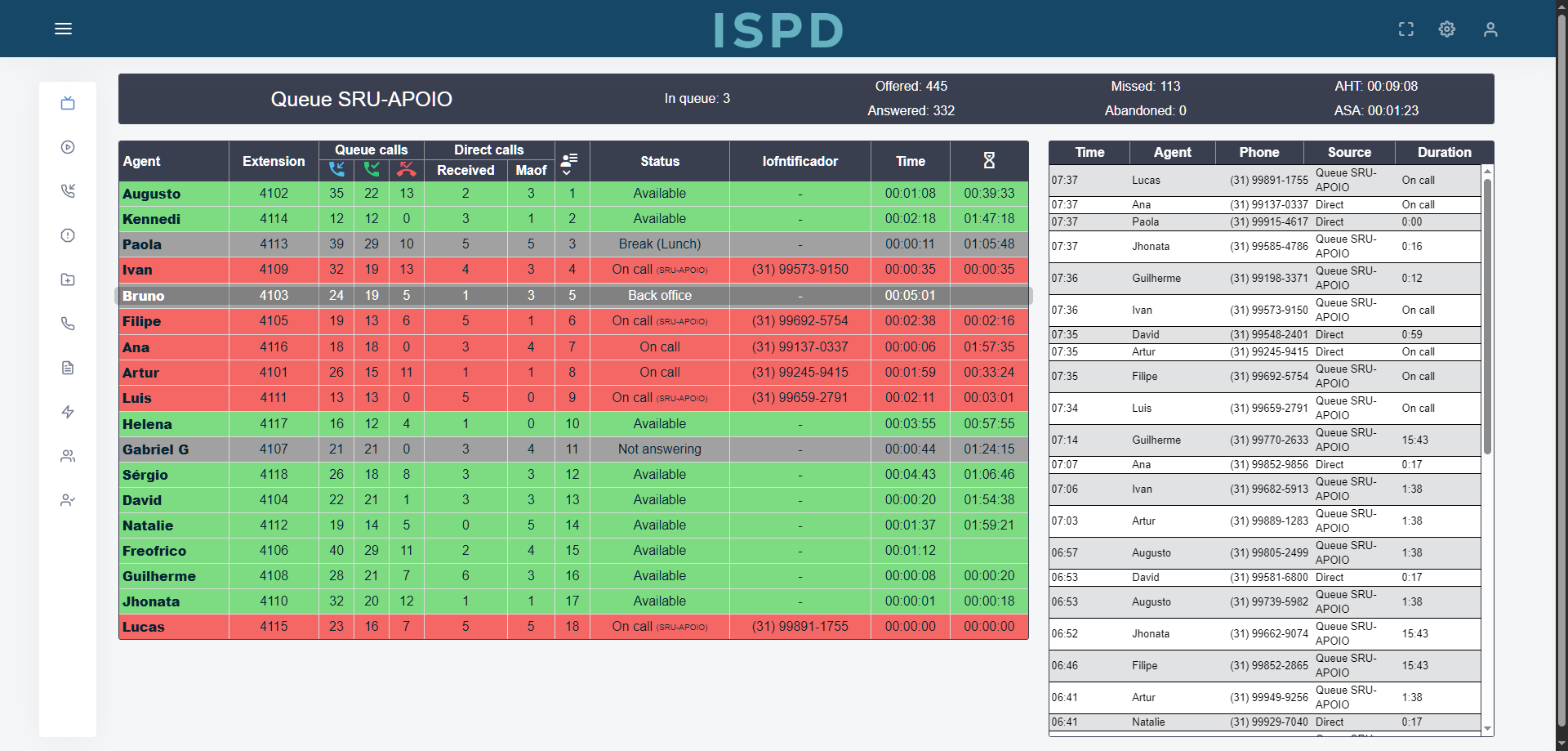
The live monitor with calls and statuses existed on a single physical screen. I created a web portal so every technician could open the same view from their desk. Adoption was immediate because visibility increased and handovers became smoother.
From a Single Monitor to a Living Platform
After the first release I began storing live data for calls and sessions. I was responsible for monthly indicators, so persisting data made reporting accurate and fast. As the dataset grew the portal evolved into a central hub that joined real time visibility with history, reports and everyday tools used by the whole team.
01Monitor Page
The monitor shows the status of each technician and highlights who is currently on a call. It also calculates who is next in the queue so everyone knows when their turn is coming. Each technician can click their own name to create a visual highlight and follow their place until the next slot arrives.
02Operational Views
A call history view records recent interactions and supports filtering by date, technician and category. A daily timeline displays when each person was online, in a call, unavailable or offline. A dedicated offline time report offers search and filters for capacity reviews and simple audits.
03Resource Hub
A file library provides direct links to the tools used in remote access so no one loses time searching shared folders. A useful phones section keeps the contacts we call frequently in one place so communication starts faster and with fewer mistakes.
04Automation
To remove repetitive work I added a renewal letters feature. With a single action the portal generates a zip file that contains a personalised letter for each user on a predefined list — quicker and more reliable than manual preparation.
05User Management
A user control area allows creating, editing and deactivating profiles with the right permissions. A user status view shows last connection and last update so inactive profiles are easy to spot and maintain.
06iTop Templates
Each technician can create ticket templates that speed up online submissions and keep content consistent. Later I added an extension that connected the templates to the live ticket form — described in the Helpdesk Extension insight.
Impact
The team gained full visibility without relying on a single screen. The queue became predictable and interruptions decreased. Tools and contacts moved to a central place and everyday tasks took less time. Automation reduced errors and freed people from manual steps.
Most importantly, the stored data now supports monthly indicators and continuous improvement with confidence. This portal continues to be actively used by the team to this day, remaining a key part of their daily operations.
Nobody asked for it — it started as a copy of one screen and became the team’s daily tool.