Insight 01 Chrome Extension · ERP
From the factory floor to the ERP.
I joined a Sydney joinery manufacturer as a part-time machine operator. Within months I had built the screens the shop floor was missing — inside the company’s own Odoo, without touching its server.
The problem I was standing next to
Odoo 19 Enterprise held every work order, but on the floor it was just long, generic lists. To know what a CNC router had to cut next, someone filtered a list, scrolled and asked around. Nobody could see at a glance who had cut, edged or assembled a job, or how many sheets each machine was really getting through.
I had no admin access and no budget — only a browser, the company’s Odoo login and the problem in front of me every shift. So I built a Chrome extension that runs inside Odoo, talks to it through the same RPC calls the web client uses, and adds the screens the shop floor needed.
Rules I set before writing code
Production data is sacred. The extension reads freely, but writes only when a person explicitly drags or renumbers a job — never in bulk, never in the background. Every new screen is registered as a native Odoo route, so it can be bookmarked, works with the browser’s back button and feels like part of the product rather than an overlay.
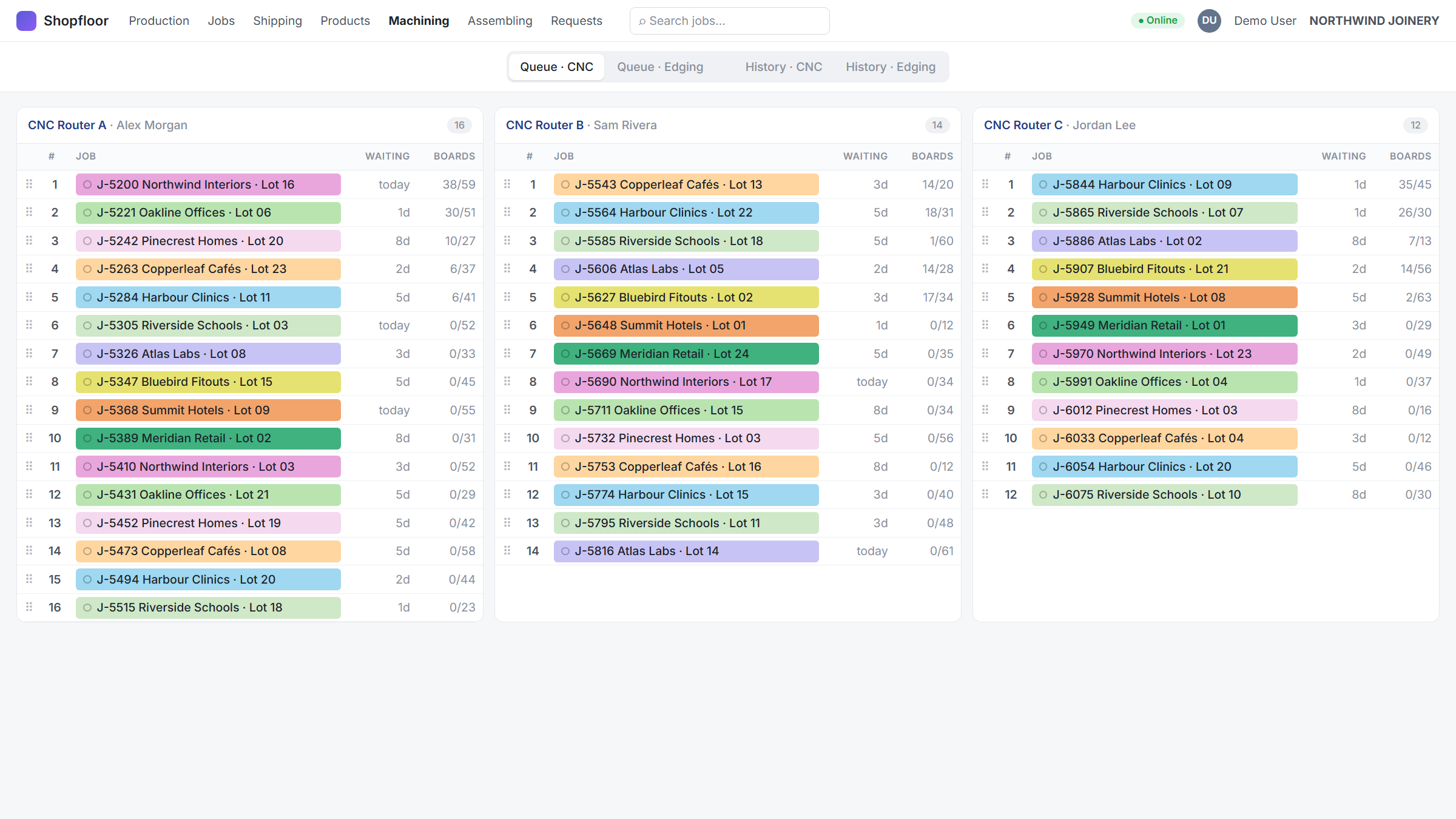
01Queues per machine
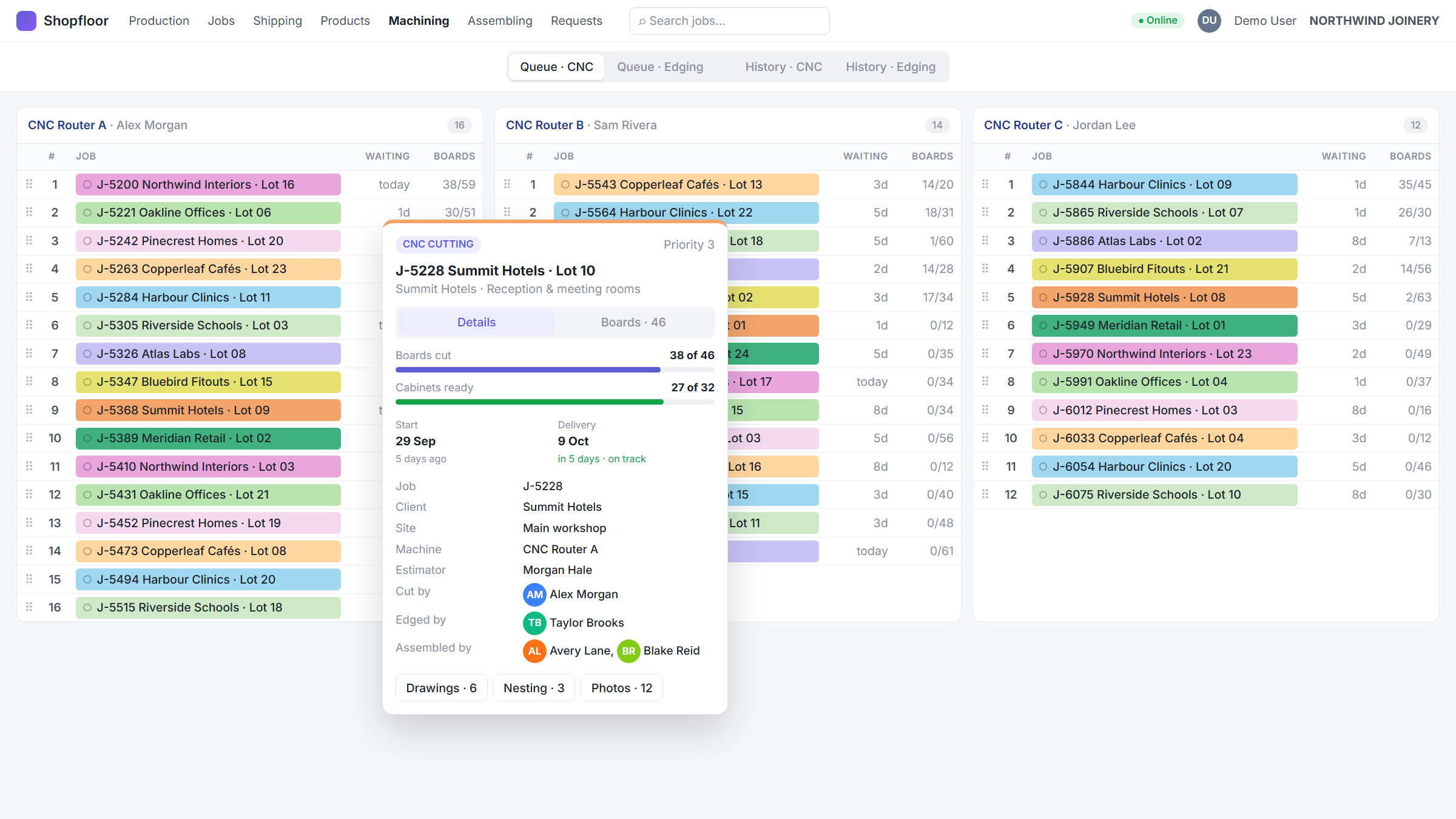
CNC cutting and edge banding each get a board with one column per machine. Jobs can be reordered or dragged to another machine; the change shows instantly and is confirmed — or rolled back — by Odoo. A hover card shows sheets cut, cabinets, dates, drawings, nesting reports and who did each step.
02Completion history
Every move between stages is read from Odoo’s chatter and shown per machine and per person, with photo thumbnails and an in-page gallery — including the real person behind shared kiosk logins.
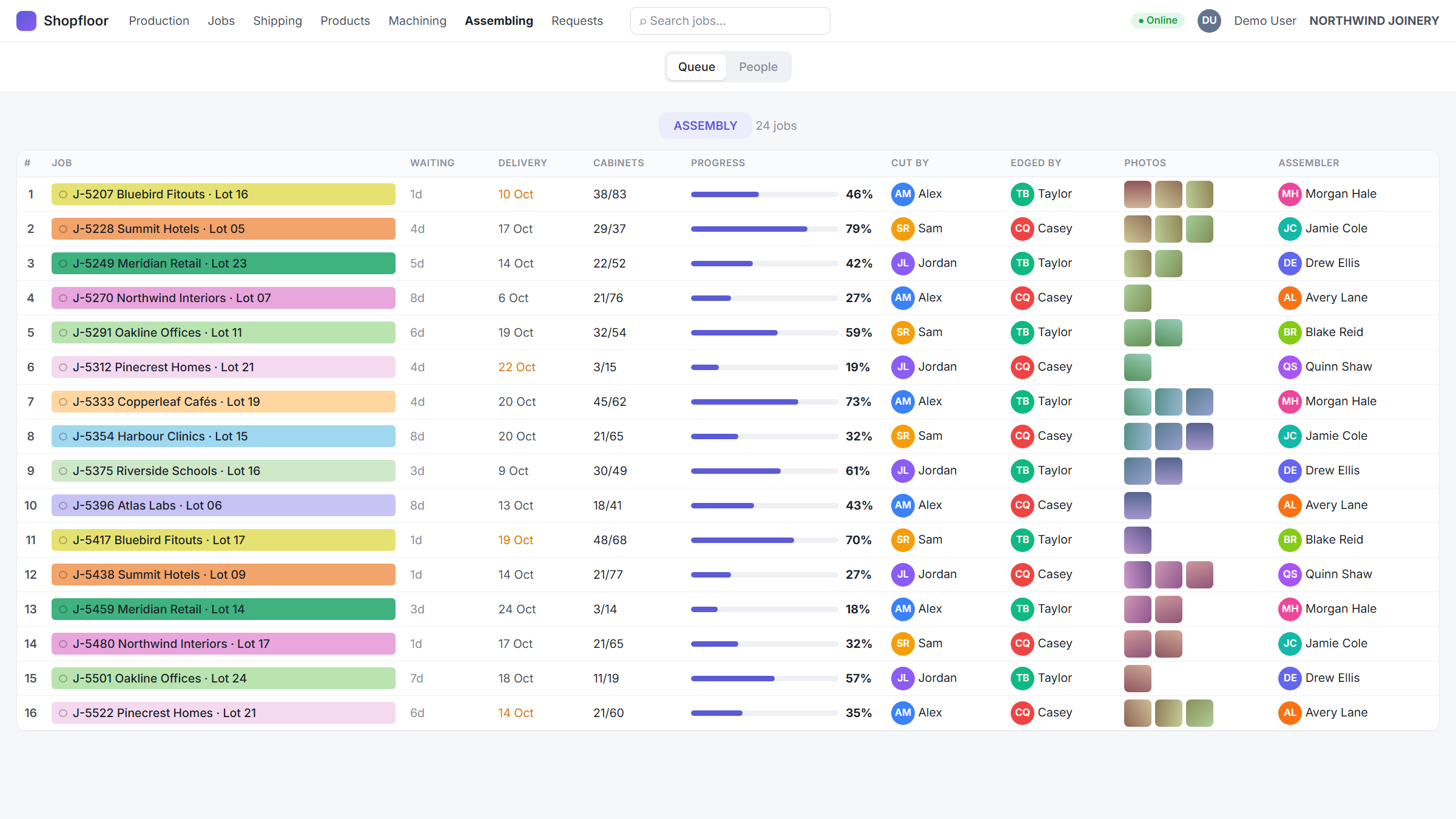
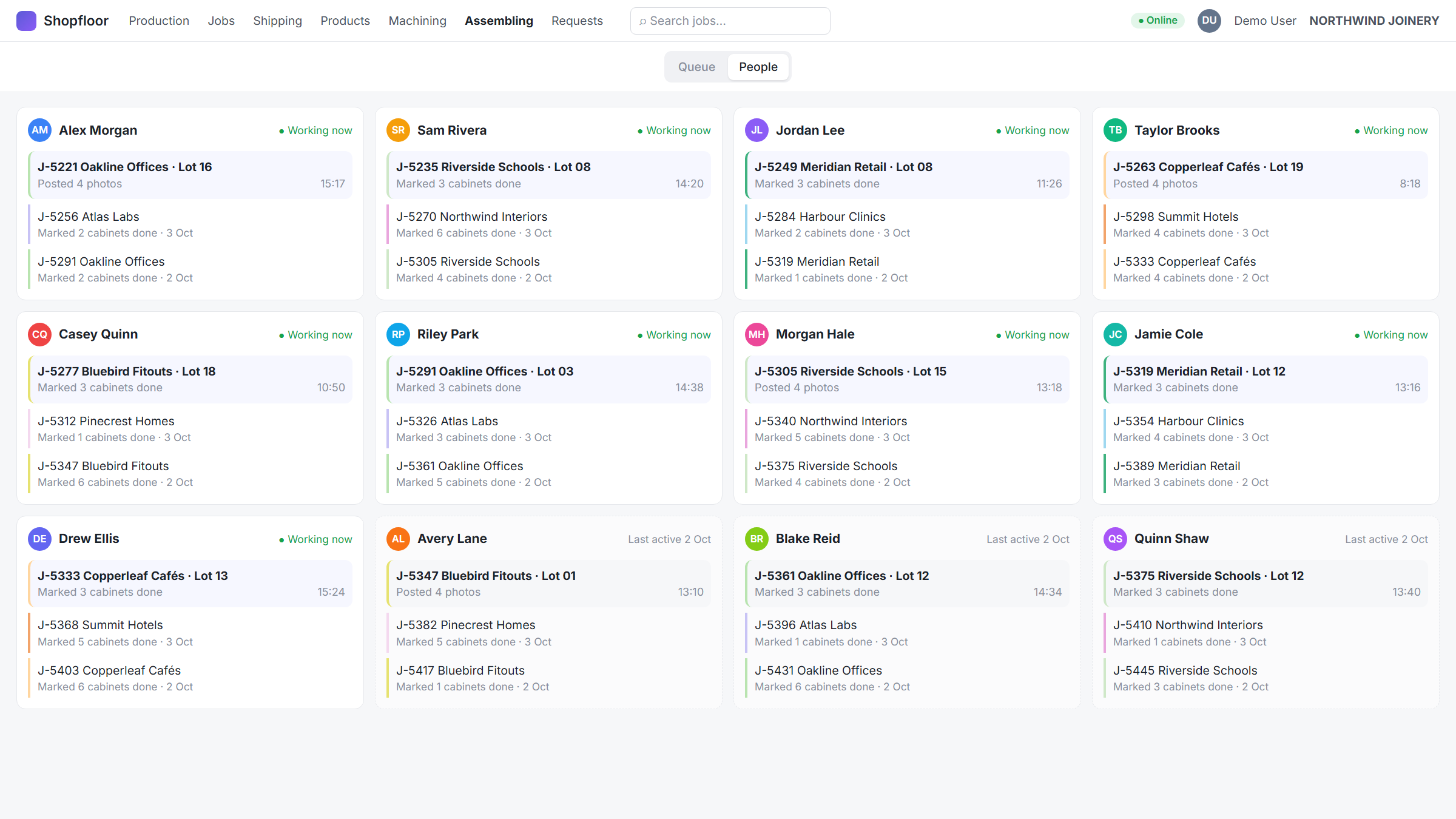
03Assembly board
A queue of jobs in assembly with cabinet progress, plus one card per assembler showing what they are on now and what they finished before, with a searchable history in a modal.
04Client colours for everyone
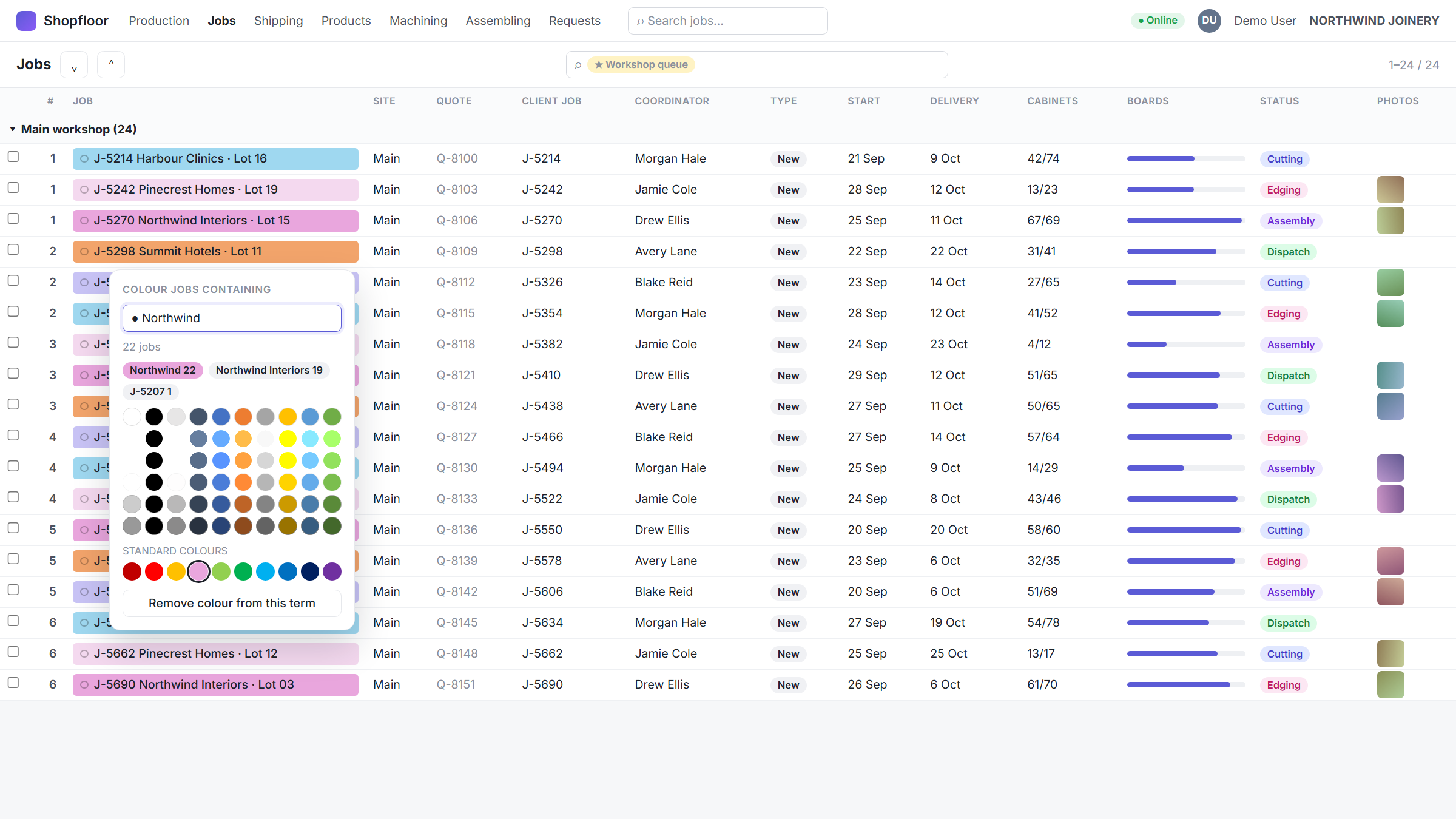
A colour picker suggests the right term for each client by scanning every work order, and the rules are stored once in Odoo so the whole team sees the same colours.
05Quick search, everywhere
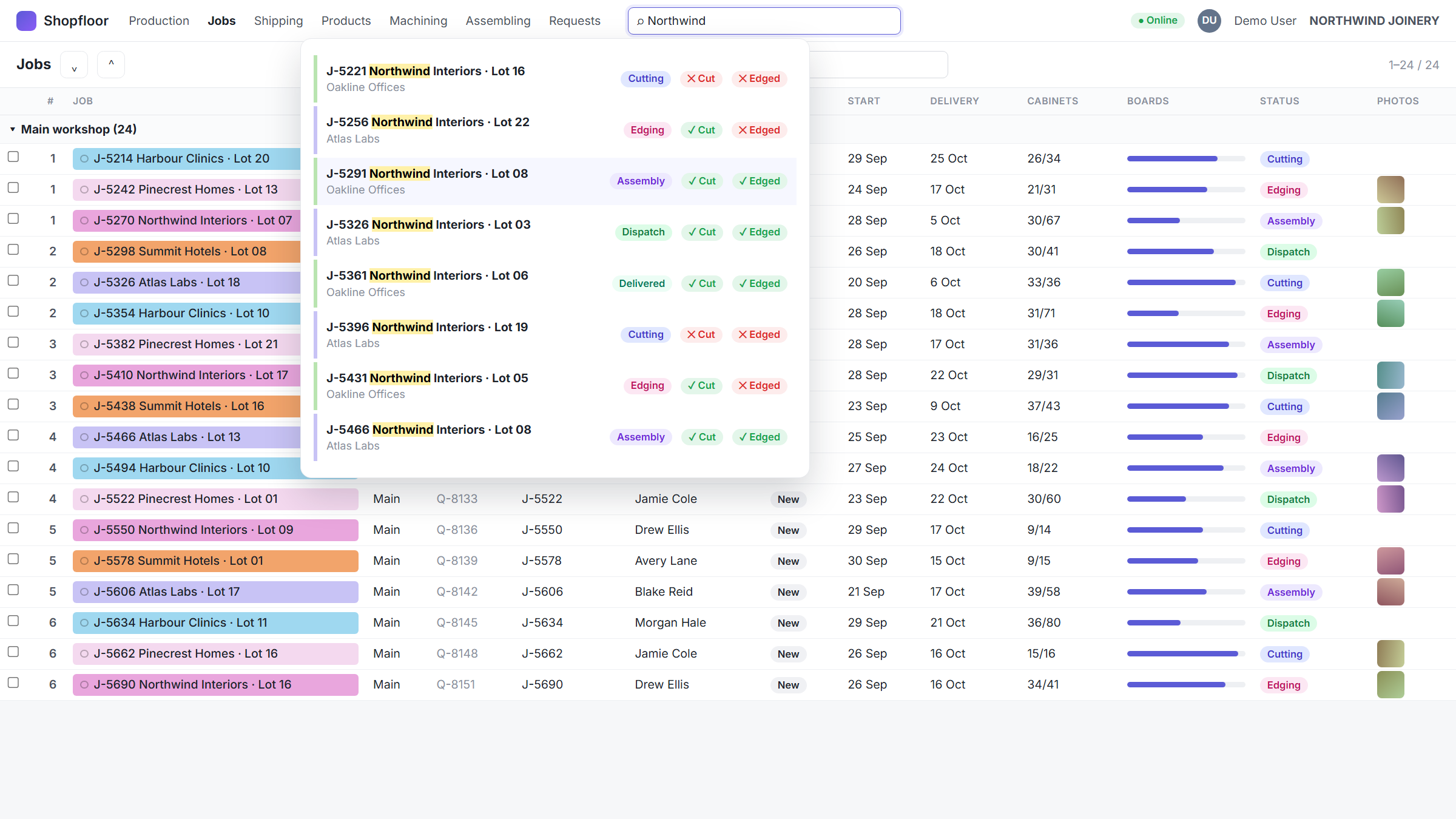
A search box in Odoo’s top bar finds any work order by name or project, shows its stage and whether it has been cut and edged, and remembers the last ones you opened.
06Production statistics
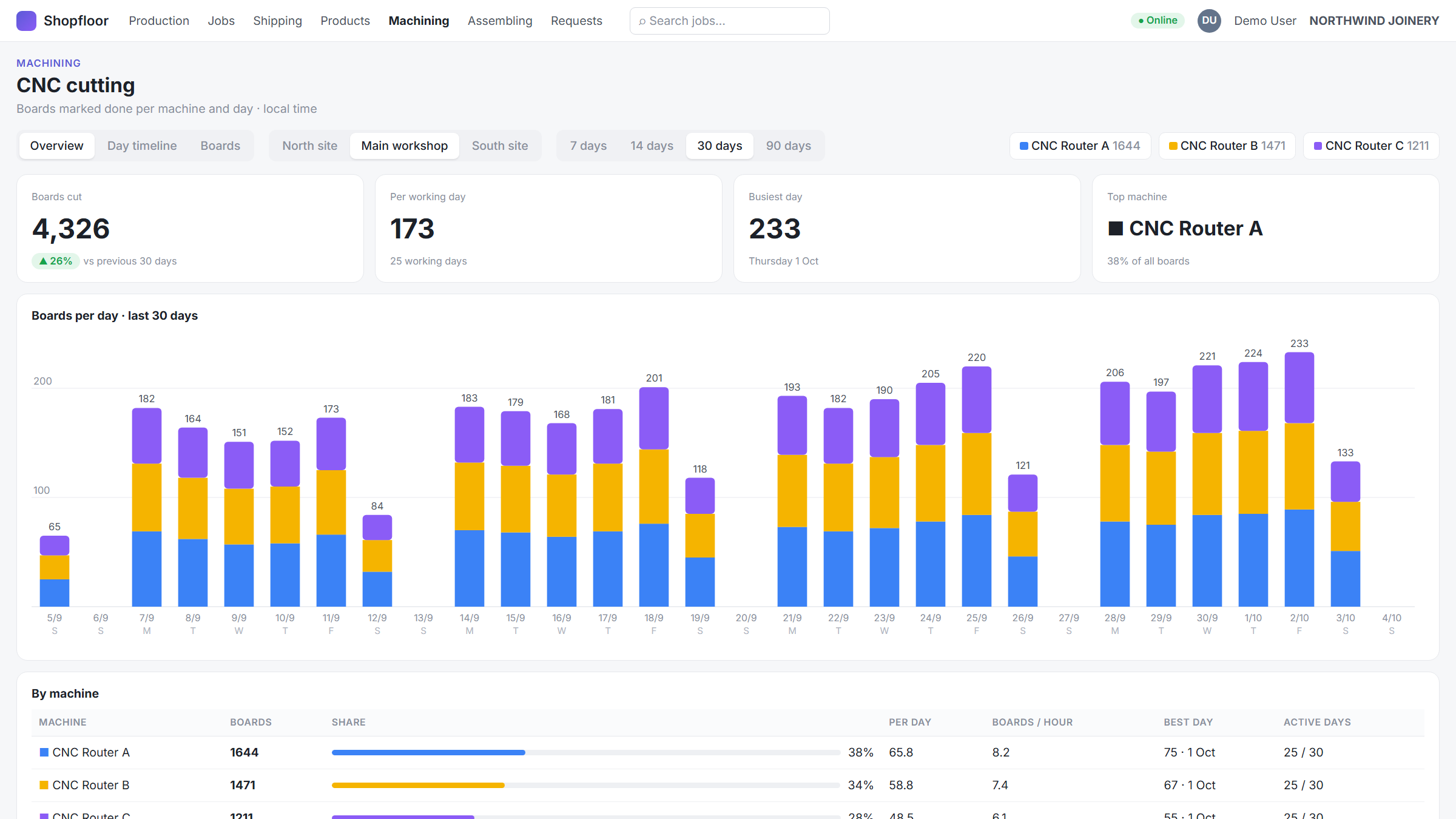
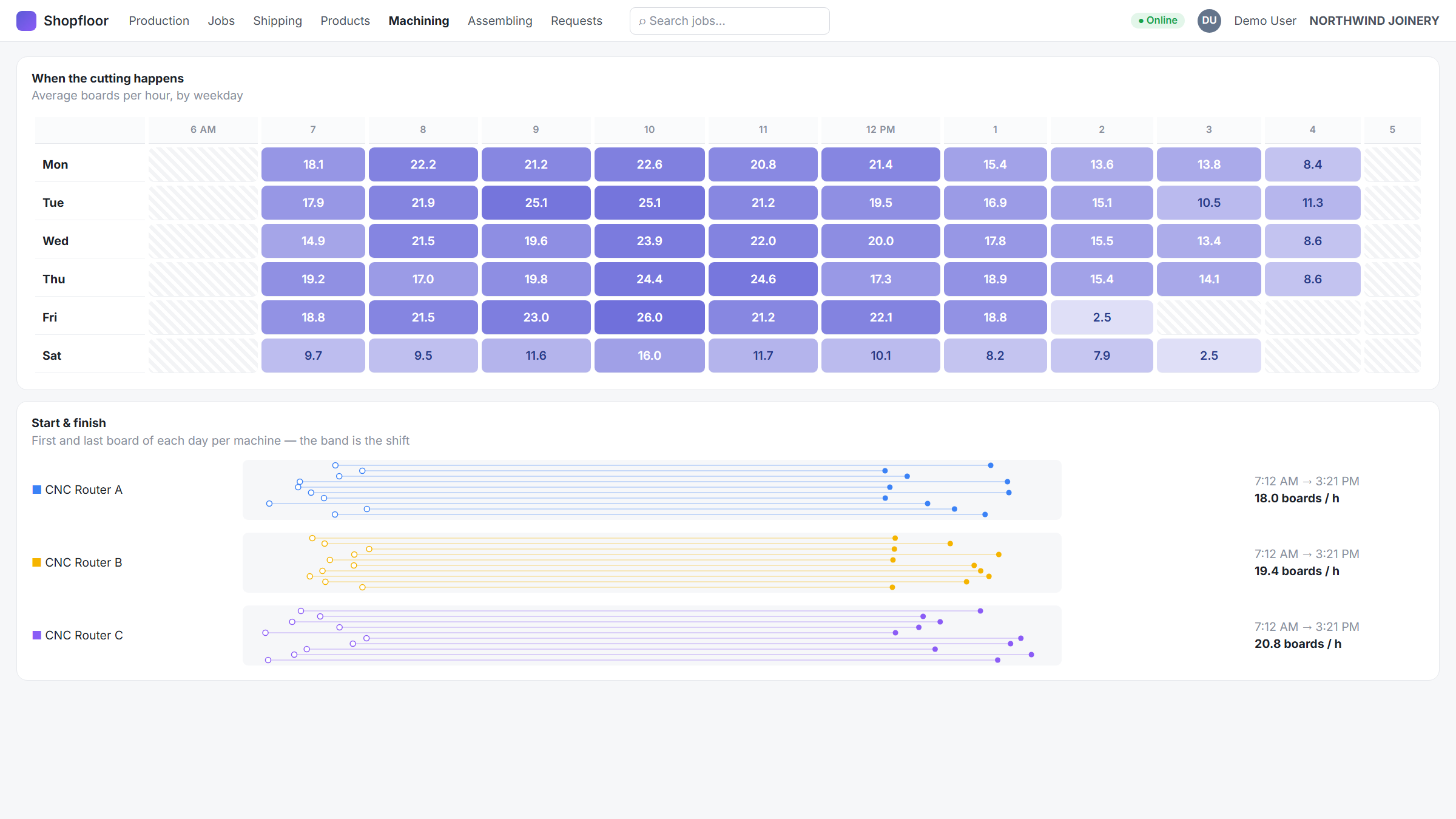
A CNC dashboard with sheets per machine and per day, busiest days, start and finish times, a heat map of when cutting happens and a day-by-day timeline — all drawn in plain SVG.
How it was built
Plain JavaScript in a Manifest V3 extension, with no framework and no bundled chart library. Screens are registered as Owl client actions in the page’s own world, so Odoo owns navigation. Data comes from Odoo’s JSON-RPC: work orders, sheets, chatter messages and attachments. Where the model had no field for something — who cut a job, when it entered assembly — the extension reconstructs it from the chatter history.
Each round followed the same loop: list the open questions with a proposed answer for each, prototype outside Odoo when the behaviour was uncertain, then port it in and refine it with the people using it on the floor.
Impact
Operators open their machine’s queue instead of searching a list. Leads move work between machines with a drag. Everyone sees the same client colours, and the cutting statistics answer questions that used to need a spreadsheet. The extension is published on the Chrome Web Store and used daily.
No admin access, no server changes — just a clear problem, a browser and production data treated with care.